
ZFS - Making use of my storage


Looking through my System76 Thelio Major R2 box, I found I have a lot of resources I should start making use of. Heck, I have a lot of hardware, albeit old, that I should make use of.
I don't care about my electric bill...well, I do but more importantly, I care about doing geeky stuff just to learn or make use of things I have. Anyway, one day I'll get some solar panels but in the meantime, let me start building my new (with old hardware) lab. I haven't done this in years and heck, why not?
WARNING: I plan to write this blog and most of my blogs as a way to converse with you as I type on my CLI so if something goes wrong, I'll just say it and if it goes well, that too.
Let's kick off neofetch here:
...dammit! My keyboard shortcut for screenshots doesn't work. Let me get that fixed...I'm going to need it...
Ok...so I got that issue fixed! I'm on Pop!_OS, if you even care. The keybinding was set to Super+Print for some odd reason. I use a Keychron keyboard. The Q series with the cool magnetic switches 😉 - oh and I just installed Emote just to insert that emoji 🤷🏽♂️
Back to neofetch:
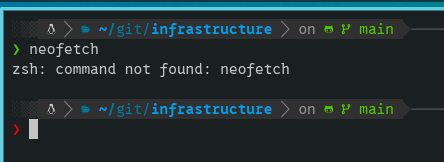
...meh, ok so now I have to install this too..sigh
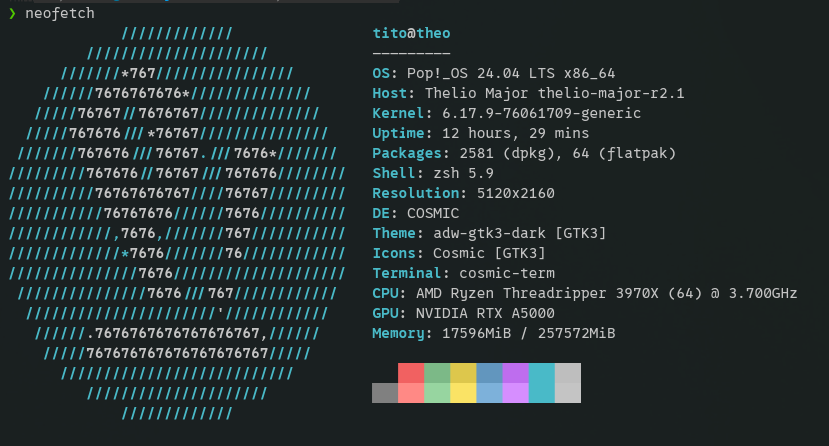
That's better! But, you see!!! I did that for nothing because this silly blog is just me basically having a conversation about getting ZFS installed on my machine. The real output should have been my storage. But I wrote that nonsense above and you read, so there you go.
Let's get to what's important here
❯ lsblk -o NAME,SIZE,MODEL,SERIAL                                                                                                                    ─╯
NAME              SIZE MODEL                   SERIAL
sda             953.9G SPCC Solid State Disk   AAAA0000000000032428
sdb             953.9G SPCC Solid State Disk   115E074C031800273925
sdc             953.9G SPCC Solid State Disk   11EE074C035B00263640
sdd             953.9G SPCC Solid State Disk   115E074C031800273963
sde             953.9G SPCC Solid State Disk   5193074C037F00270115
sdf             953.9G SPCC Solid State Disk   115E074C031800273934
sdg             953.9G SPCC Solid State Disk   AAAA0000000000013666
sdh             953.9G SPCC Solid State Disk   115E074C031800273993
zram0              16G
nvme0n1         931.5G Samsung SSD 980 PRO 1TB S5P2NC0R903059A
├─nvme0n1p1      1022M
├─nvme0n1p2         4G
├─nvme0n1p3     922.5G
│ └─cryptdata   922.5G
│   └─data-root 922.5G
└─nvme0n1p4         4G
  └─cryptswap       4G
nvme2n1         931.5G WD_BLACK SN850X 1000GB  23336E800492
nvme1n1         931.5G WD_BLACK SN850X 1000GB  234558800105
└─nvme1n1p1     931.5G
Ok, that looks good! I'm going to take those 8 SATA drives and get ZFS going:
❯ sudo apt install zfsutils-linux                                                                                                                    ─╯
Reading package lists... Done
Building dependency tree... Done
Reading state information... Done
zfsutils-linux is already the newest version (2.3.5-1ubuntu1pop1~1764881955~24.04~3afdf88).
0 upgraded, 0 newly installed, 0 to remove and 37 not upgraded.
Ha! So I have ZFS stuff installed...hmmm, that's probably done via my automated setup using Ansible. I haven't touched that in years but I need to see what it does. It probably needs some updates.
Dang it! Looks like I have some work to do here. The module isn't loading!
❯ sudo zpool create -f data raidz2 sda sdb sdc sdd sde sdf sdg sdh                                                                                   ─╯
The ZFS modules cannot be auto-loaded.
Try running 'modprobe zfs' as root to manually load them.
I just recently ran an update on my system (earlier today) so let me try getting the linux headers for the current kernel:
❯ sudo apt install linux-headers-$(uname -r)                                                                                                         ─╯
Reading package lists... Done
Building dependency tree... Done
Reading state information... Done
linux-headers-6.17.9-76061709-generic is already the newest version (6.17.9-76061709.202511241048~1764607909~24.04~df6b2b6).
linux-headers-6.17.9-76061709-generic set to manually installed.
0 upgraded, 0 newly installed, 0 to remove and 37 not upgraded.
That seems to be ok...let me get going with DKMS here and reinstall:
❯ sudo apt install --reinstall zfs-dkms zfsutils-linux                                                                                               ─╯
Reading package lists... Done
Building dependency tree... Done
Reading state information... Done
Suggested packages:
  debhelper
The following NEW packages will be installed:
  zfs-dkms
0 upgraded, 1 newly installed, 1 reinstalled, 0 to remove and 37 not upgraded.
Need to get 3,138 kB of archives.
After this operation, 18.8 MB of additional disk space will be used.
Get:1 http://apt.pop-os.org/release noble/main amd64 zfsutils-linux amd64 2.3.5-1ubuntu1pop1~1764881955~24.04~3afdf88 [618 kB]
Get:2 http://apt.pop-os.org/release noble/main amd64 zfs-dkms all 2.3.5-1ubuntu1pop1~1764881955~24.04~3afdf88 [2,520 kB]
Fetched 3,138 kB in 0s (9,888 kB/s)
Preconfiguring packages ...
(Reading database ... 287901 files and directories currently installed.)
Preparing to unpack .../zfsutils-linux_2.3.5-1ubuntu1pop1~1764881955~24.04~3afdf88_amd64.deb ...
Unpacking zfsutils-linux (2.3.5-1ubuntu1pop1~1764881955~24.04~3afdf88) over (2.3.5-1ubuntu1pop1~1764881955~24.04~3afdf88) ...
Selecting previously unselected package zfs-dkms.
Preparing to unpack .../zfs-dkms_2.3.5-1ubuntu1pop1~1764881955~24.04~3afdf88_all.deb ...
Unpacking zfs-dkms (2.3.5-1ubuntu1pop1~1764881955~24.04~3afdf88) ...
Setting up zfsutils-linux (2.3.5-1ubuntu1pop1~1764881955~24.04~3afdf88) ...
modprobe: FATAL: Module zfs not found in directory /lib/modules/6.17.9-76061709-generic
zfs-import-scan.service is a disabled or a static unit, not starting it.
Setting up zfs-dkms (2.3.5-1ubuntu1pop1~1764881955~24.04~3afdf88) ...
Loading new zfs-2.3.5 DKMS files...
Building for 6.17.9-76061709-generic
Building initial module for 6.17.9-76061709-generic
Done.

zfs.ko.zst:
Running module version sanity check.
 - Original module
   - No original module exists within this kernel
 - Installation
   - Installing to /lib/modules/6.17.9-76061709-generic/updates/dkms/

spl.ko.zst:
Running module version sanity check.
 - Original module
   - No original module exists within this kernel
 - Installation
   - Installing to /lib/modules/6.17.9-76061709-generic/updates/dkms/
depmod...
Processing triggers for man-db (2.12.0-4build2) ...
Processing triggers for initramfs-tools (0.142ubuntu25.5pop0~1764876273~24.04~df16dd8) ...
update-initramfs: Generating /boot/initrd.img-6.17.9-76061709-generic
Updating kernel version 6.17.9-76061709-generic in systemd-boot...
kernelstub.Config    : INFO     Looking for configuration...
kernelstub           : INFO     System information:

    OS:..................Pop!_OS 24.04
    Root partition:....../dev/dm-1
    Root FS UUID:........e27fb006-37e3-42fb-9809-f98975b9862e
    ESP Path:............/boot/efi
    ESP Partition:......./dev/nvme0n1p1
    ESP Partition #:.....1
    NVRAM entry #:.......-1
    Boot Variable #:.....0000
    Kernel Boot Options:.quiet loglevel=0 systemd.show_status=false splash nvidia-drm.modeset=1
    Kernel Image Path:.../boot/vmlinuz-6.17.9-76061709-generic
    Initrd Image Path:.../boot/initrd.img-6.17.9-76061709-generic
    Force-overwrite:.....False

kernelstub.Installer : INFO     Copying Kernel into ESP
kernelstub.Installer : INFO     Copying initrd.img into ESP
kernelstub.Installer : INFO     Setting up loader.conf configuration
kernelstub.Installer : INFO     Making entry file for Pop!_OS
kernelstub.Installer : INFO     Backing up old kernel
kernelstub.Installer : INFO     No old kernel found, skipping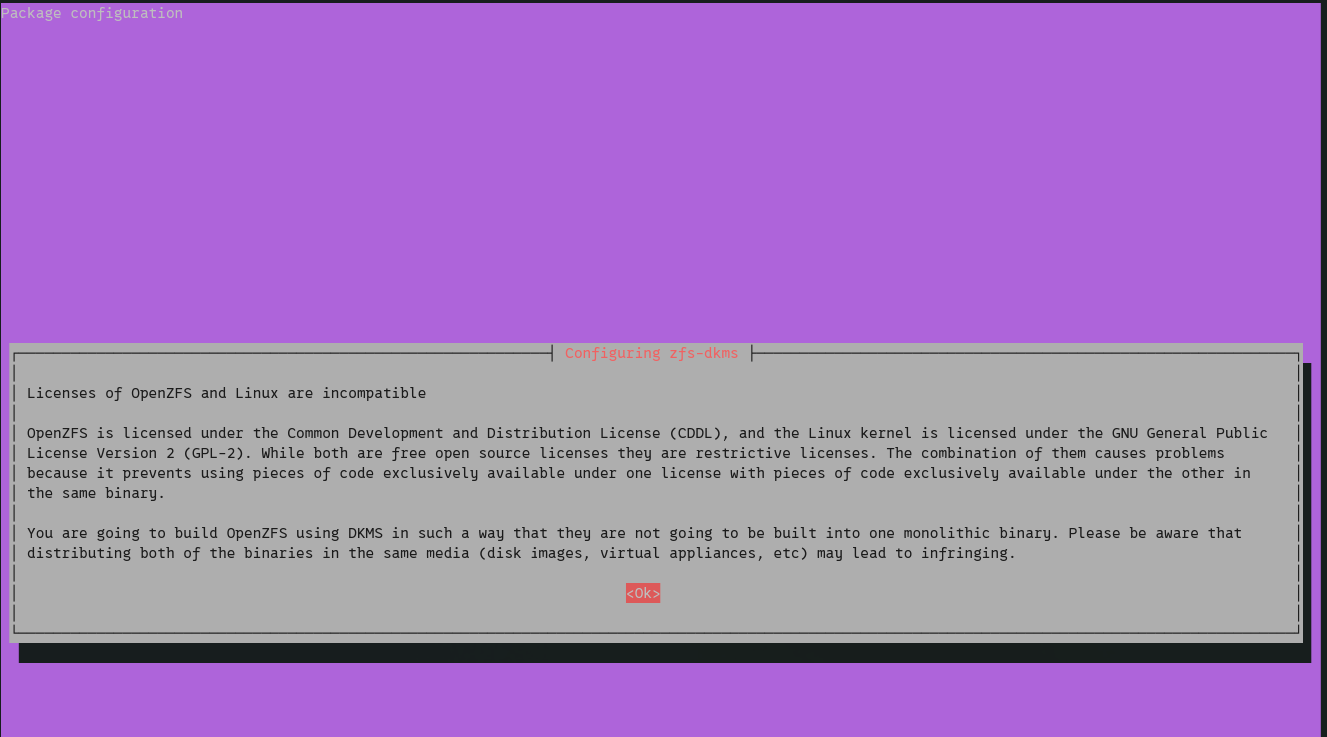
That license notice looks scary but I'll be alright 😁
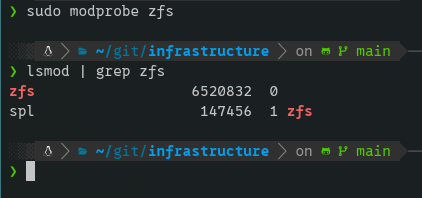
YAY! Running sudo modprobe zfs ran fine. No output means it loaded but let's prove it:
Okay...let's get this pool going and have some additional storage for more crap to stash!
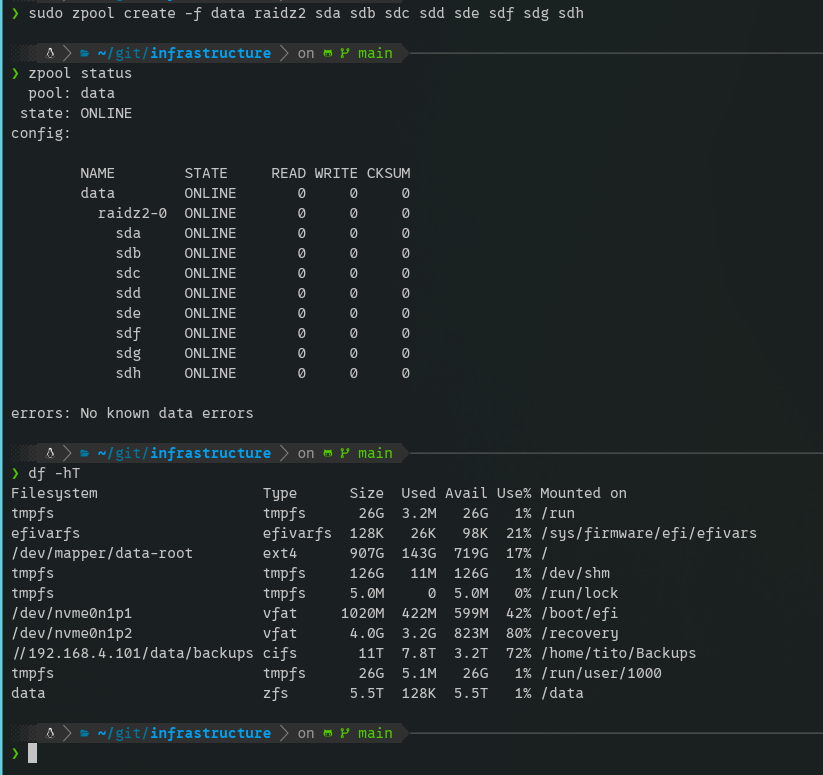
Ok, that was fun...kinda. I got a new storage pool called data. I decided to use two drives for parity. I should have probably used one but sometimes I don't notice when things go wrong immediately so having the extra safety especially on SATA drives is probably best.
The purpose for this on my system is because I often work on big projects with large media files that I shift around. This gives me a place to hold files temporarily on my local system to move stuff around or work on. This isn't necessarily long term storage.
Hmmmm...well if that is the case, maybe one drive for parity or even no parity is fine 🤔
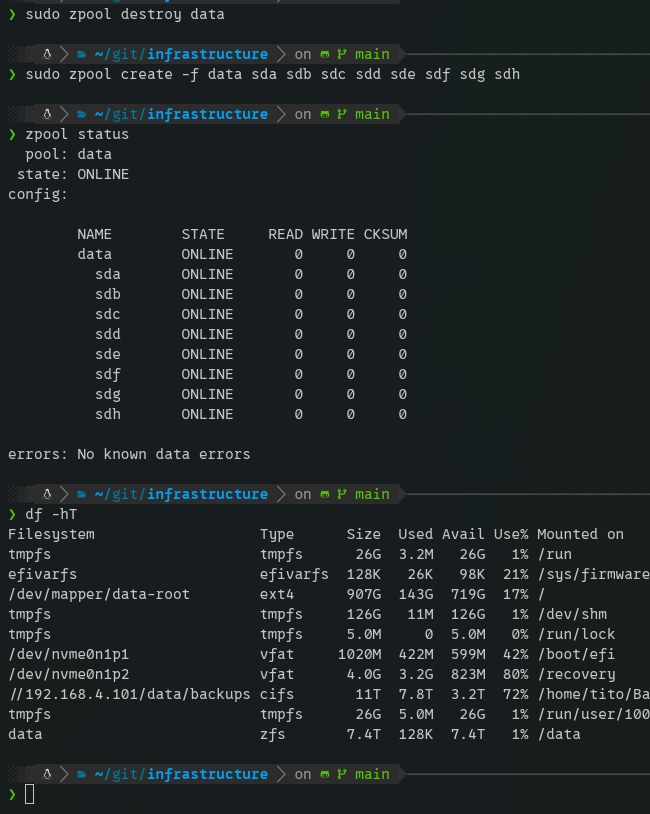
Ok, I guess I'm a masochist so here it goes...NO PARITY....F*** IT
I'm out ✌🏽
No spam, no sharing to third party. Only you and me.

Member discussion